CAD Software & PRO Tools — Professional Fabrication Software Suite by CNC Cut to Size

About CAD Software & PRO Tools

CAD Software & PRO Tools is a professional suite of four integrated tools designed exclusively for CNC fabrication shops, cabinet makers, woodworkers, and millwork production facilities. The suite includes: Cut List Optimizer for material nesting and waste reduction, Project Estimation Suite for instant project estimates, Task Scheduler for Kanban-style project management, and Time Tracker for GPS-verified employee time and labor cost tracking.

Cut List Optimizer — Sheet Material Nesting Software

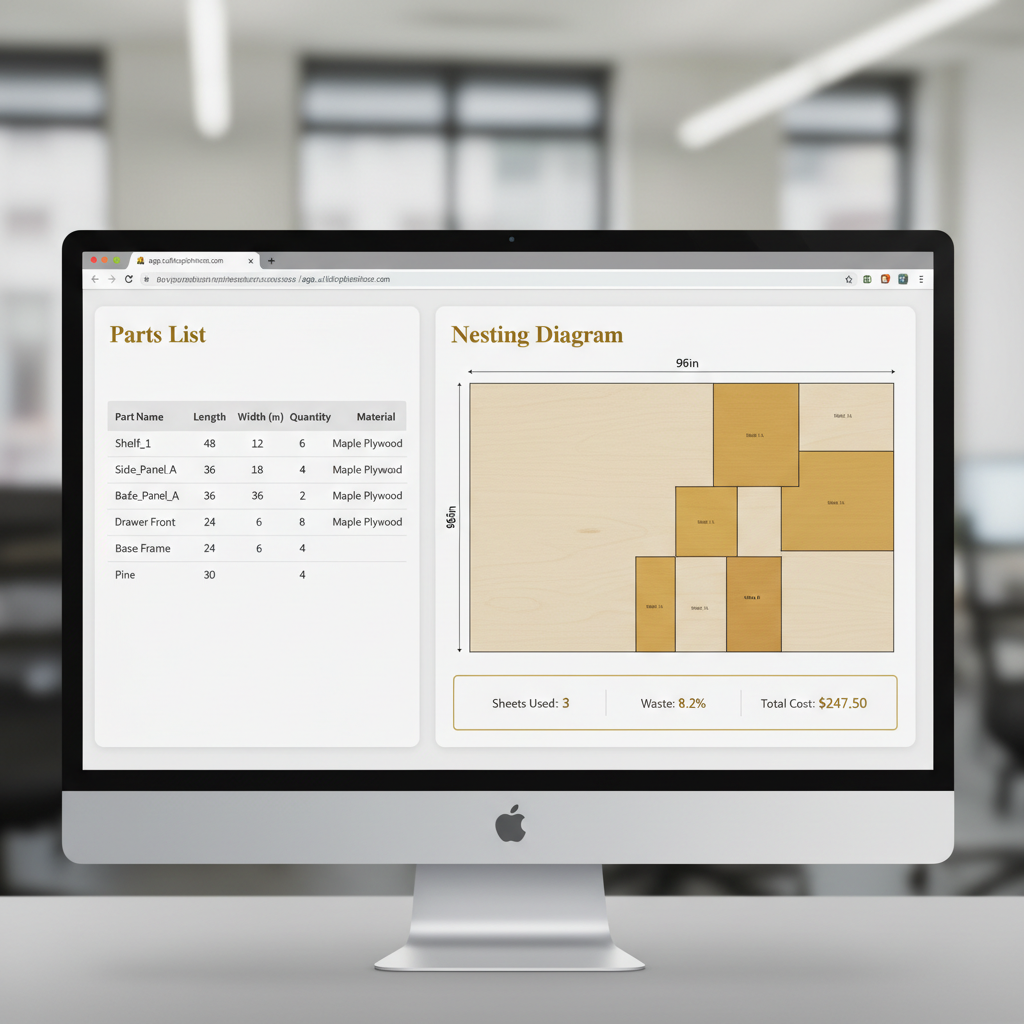
The Cut List Optimizer is a professional-grade panel nesting and cut list optimization tool that uses an advanced nesting algorithm to arrange rectangular parts optimally on stock sheets of MDF, plywood, melamine, particle board, acrylic, aluminum composite panels (ACM), and other sheet materials.

Key capabilities include: smart nesting algorithm for minimal material waste, support for box and drawer panel generation, edge banding integration with accurate costing, visual cut plan diagrams for shop floor printing, waste percentage reporting per optimization run, multi-sheet size optimization for cost-effective combinations, grain direction support for veneered materials, configurable blade kerf width settings, and the ability to save and reuse cut list drafts for recurring production jobs. Reduces material waste by up to 30%.

Project Estimation Suite — Instant CNC Fabrication Estimates

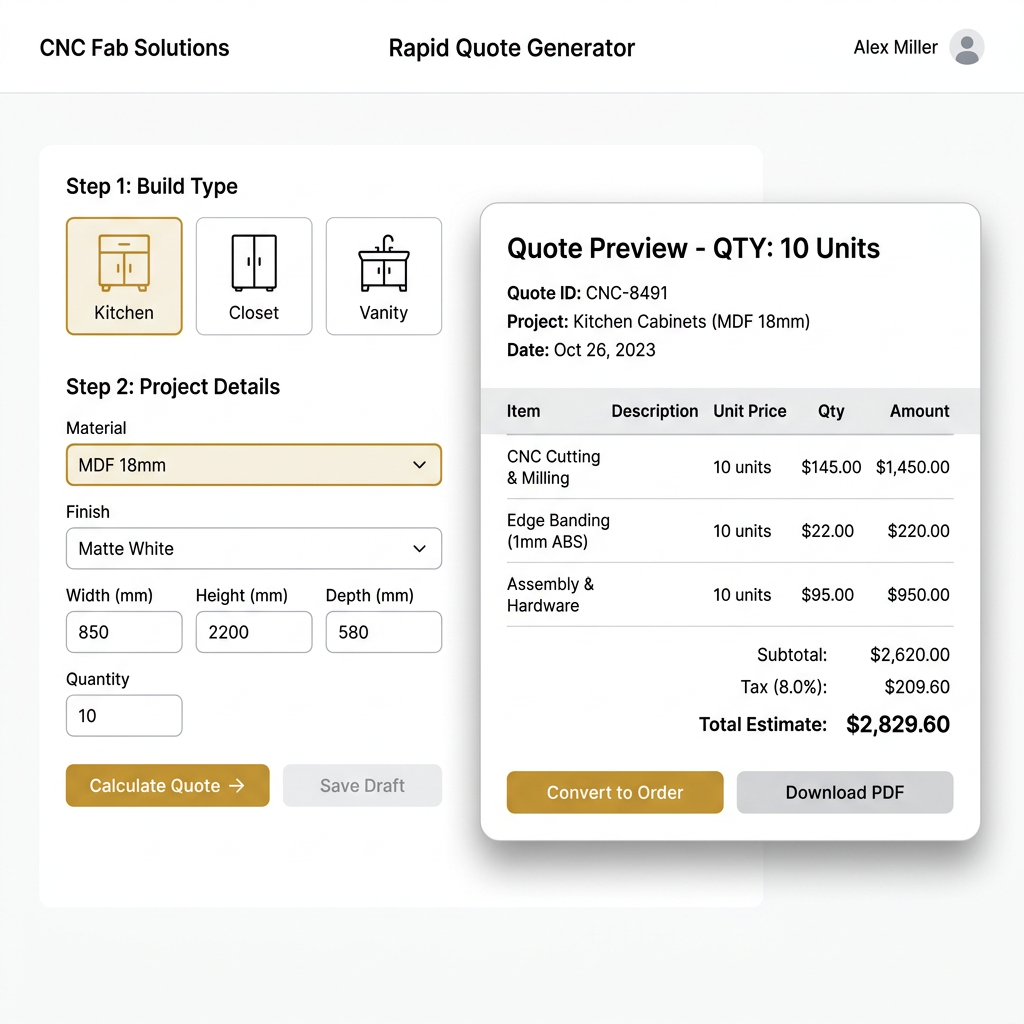
The Project Estimation Suite enables CNC fabrication professionals to create accurate project estimates in under 5 minutes. It supports multiple build types including kitchen cabinets, closet systems, bathroom vanities, shelving units, and custom furniture — each with tailored question flows.

Features include: rule-based pricing with admin-configurable material costs, labor rates, and markup percentages; sub-client management for contractors and resellers; dynamic build configurations with guided question flows; margin visibility with built-in operating cost deductions; professional quote output with line-item breakdowns; and e-transfer payment integration.

Task Scheduler — Project Management for CNC Shops

The Task Scheduler provides Kanban board views for visual project tracking, deadline and priority management, real-time status updates, and both list and board view options. Designed for fabrication teams who need to coordinate cutting, assembly, finishing, and delivery across multiple concurrent projects.

Time Tracker — Employee Hours & Labor Cost Tracking

The Time Tracker enables field and shop employees to clock in and out with GPS location stamps, set hourly rates per employee (standard, overtime, holiday), review and approve timesheets, and see automatic labor cost calculations. Perfect for CNC shops managing remote job sites and multi-location teams.

Subscription Plans and Pricing

CAD Software & PRO Tools tools are available as monthly subscriptions paid via e-transfer. Individual tools start at $15-25 CAD per month. The Pro Bundle combines all four tools at a discounted rate. All plans can be cancelled at any time with no cancellation fees or long-term commitments.

Supported Materials

The optimization tools support all standard sheet materials used in CNC fabrication including: Medium Density Fiberboard (MDF), plywood (birch, maple, oak, walnut), melamine and thermally fused laminate (TFL), particle board, high density polyethylene (HDPE), acrylic sheets, polycarbonate, aluminum composite panels (ACM/Dibond), PVC foam board, solid surface materials (Corian), and any other rectangular stock sheet material.

Service Area

CAD Software & PRO Tools is available to professionals throughout North America, serving all provinces in Canada and all 50 United States. The web-based tools are accessible from any location with an internet connection.
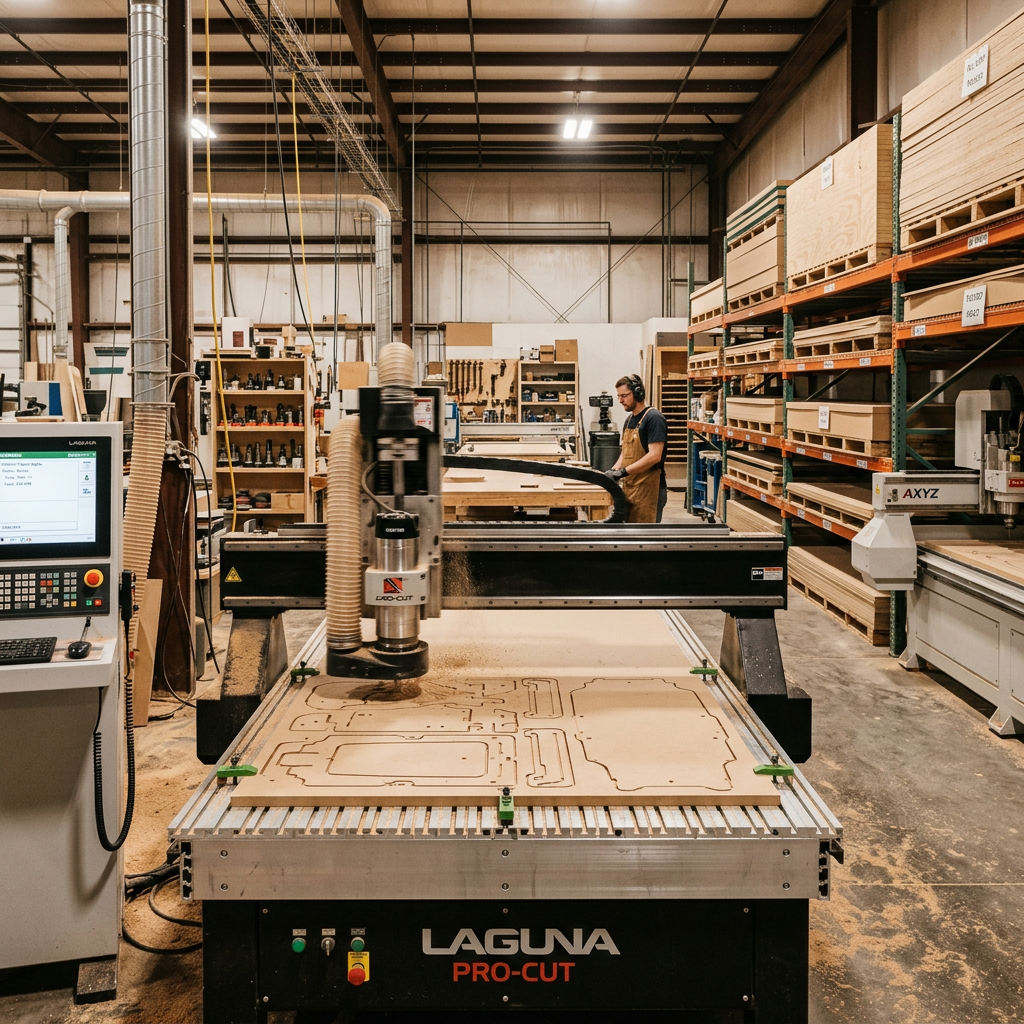
Professional CNC router cutting precision panels in modern workshop
CAD SOFTWARE & PRO TOOLS • PROFESSIONAL SUITE

CAD Software &
PRO Tools

Optimize material usage, generate instant quotes, manage projects, and track labor — all from one professional software suite designed for CNC fabricators.

30%
Less Waste
5 min
Quote Time
4
Pro Tools
24/7
Access
CAD SOFTWARE & PRO TOOLS

Software Built for CNC Professionals

Whether you run a CNC router, operate a cabinet shop, or manage a millwork production facility — our CAD Software & PRO Tools help you cut smarter, quote faster, and manage your shop floor with confidence. Request trial access and book a 20-minute onboarding to start your trial period.

No Lock-In Contract 20-Min Onboarding Full CAD, BOM & CNC outputs

Book a Pro Tools consultation

Logged in as .

Priority support

Session type

Admin notification included.

Project Estimation Suite

$25/mo USD
  • Professional project estimates in minutes
  • Pre-built templates for kitchens, closets & more
  • Estimate for your own B2B clients
  • Auto-generates project with full specifications
  • Guided step-by-step wizard

Cut Optimizer

$45/mo USD
  • Reduce material waste by up to 30%
  • Visual cut plans with dimensions & layout
  • Box & part edge banding calculations
  • Optimize in seconds — save hours of planning
  • Export & share cut lists with your team

Tasks & Scheduling

$25/mo USD
  • Kanban board & list views
  • Task priorities & deadlines
  • Real-time status tracking
  • Project-linked task management
  • Keep projects on track & on budget

Time Tracking

$25/mo USD
  • Clock in/out with GPS location stamps
  • Standard, Overtime & Holiday rates per employee
  • Automatic cost calculation (hours × rate)
  • Real-time active clock with live timer
  • One-click timesheet approval
  • Manual time entry support
  • Weekly hours & cost summaries

Software License Seat CNCOPZK

$100/mo USD
  • Full access to CNCOPZK software suite
  • Monthly auto-renewal for uninterrupted service
  • Cancel anytime from your dashboard
  • Priority support included
  • Automatic updates & new features
Best Value — Save $35/mo

Pro Bundle

The complete CAD Software & PRO Tools suite

  • Everything in Project Estimation Suite
  • Everything in Cut Optimizer
  • Save $35/month vs buying separately
  • Priority support & feature requests
  • Best value for active businesses
$35/mo USD

What's Inside Each CNC Pro Tool

Purpose-built software for CNC fabrication, cabinet manufacturing, and custom millwork production

CNC Cut List Optimizer

Reduce CNC Material Waste by Up to 30%

Purpose-built nesting software for CNC router operators, cabinet shops, and millwork manufacturers. Our algorithm arranges parts on stock sheets — MDF, plywood, melamine, aluminum composite panels — to minimize scrap, reduce costs, and maximize yield from every board.

28%

Avg. waste reduction

<5 sec

Optimization time

50+

Supported materials

Cabinet & closet manufacturersCNC router operatorsCustom millwork shopsFurniture builders & woodworkersPlywood & MDF fabricators
CNC cut list optimizer, panel nesting software, CNC router optimization, sheet material optimizer, cabinet cut list, plywood cut optimizer, MDF nesting tool, CNC waste reduction

CNC Project Estimation Suite

Estimate CNC Fabrication Jobs in Under 5 Minutes

Designed for CNC fabrication businesses and custom millwork contractors. Generate accurate, professional estimates using your own material costs, labor rates, and markups. Supports kitchens, closets, vanities, and custom build types with guided question flows.

87%

Avg. time saved

99%

Quote accuracy

10+

Build types

Custom millwork contractorsKitchen & bathroom installersCommercial fixture manufacturersCNC service providersB2B fabrication businesses
CNC estimate generator, millwork estimating software, cabinet pricing tool, CNC job estimating, fabrication estimate, woodworking estimate, project estimation suite, custom millwork pricing

CNC Shop Task Scheduler

Keep Every CNC Production Job On Track

Built for production shops running multiple CNC jobs simultaneously. Organize cutting schedules, assembly tasks, and delivery deadlines on a visual Kanban board your entire team can access in real time from the shop floor or office.

40%

On-time improvement

Kanban + List

Views

Yes

Real-time sync

Multi-machine CNC shopsProduction floor managersMillwork project coordinatorsCustom fabrication teams
CNC task scheduler, shop floor management, production scheduling software, millwork project tracker, CNC job scheduling, woodworking task manager, cabinet shop scheduler

CNC Shop Floor Time Tracker

Track CNC Operator Hours & Job Costs in Real Time

Know exactly how long each CNC job takes. Your operators clock in from the shop floor or job site with GPS stamps, and you get automatic cost calculations based on their configured hourly rates — Standard, Overtime, and Holiday.

100%

Labor cost visibility

Built-in

GPS tracking

3

Rate types

CNC machine operatorsField installation crewsShop floor supervisorsMulti-site fabrication teams
CNC time tracking, shop floor time clock, employee hour tracker, CNC labor cost, fabrication time management, GPS time tracking, woodworking timesheet

CNC Cut to Size Pro Tools are designed for woodworking professionals, CNC machine operators, cabinet manufacturers, and custom millwork shops across the USA and Canada. Our platform integrates cut list optimization, instant quoting, production scheduling, and employee time tracking into one seamless experience — helping you reduce material waste, speed up estimates, and keep every CNC job running on schedule. Whether you're a solo CNC operator or a large-scale production facility, our tools adapt to your workflow and scale with your business.

Try a Live PRO Tool Right Now

Jump into any of our four professional tools and see the features in action. No credit card required — explore what each tool can do for your shop.

4
PRO Tools
Live
Interactive Demos
24/7
Access
Cut List Optimizer interface preview
30%
Less Waste
< 60s
Per Layout

Cut List Optimizer

Drop in your parts, choose your stock sheets, and watch the nesting algorithm arrange everything for minimal waste.

Project Estimation Suite interface preview
5 min
Per Quote
$0
Errors

Project Estimation Suite

Select a build type, answer a few guided questions, and get an accurate professional estimate in under 5 minutes.

Task Scheduler interface preview
∞
Projects
Live
Sync

Task Scheduler

Drag tasks across your Kanban board, set priorities, and track deadlines — all in real time with your team.

Time Tracker interface preview
GPS
Verified
Auto
Cost Calc

Time Tracker

Clock in from any job site with GPS verification. Hourly rates, overtime, and labor costs are calculated automatically.

Subscription required for full access. Create a free account to get started.

WHY CAD SOFTWARE & PRO TOOLS?

See the Difference
Our Software Makes

Stop guessing and start optimizing. Four professional tools built for fabricators who want to eliminate waste, price jobs accurately, and manage their shop floor.

Without CAD Software & PRO Tools

  • Manually calculate cutting layouts on paper
  • Wasted sheets from poor nesting
  • Hours spent building quotes by hand
  • Guesswork on material costs and margins
  • No visibility into employee hours or job costs
  • Scattered task tracking across spreadsheets

With CAD Software & PRO Tools

  • Automated optimal nesting in seconds
  • Minimal waste — every sheet maximized
  • Instant quotes with accurate pricing
  • Clear margin visibility on every job
  • GPS-verified time tracking with auto cost calc
  • Kanban project boards with deadline alerts
Professional craftsman using CNC CAD software in workshop with cut panels
MINIMIZE WASTE, MAXIMIZE SAVINGS

Cut List Optimizer

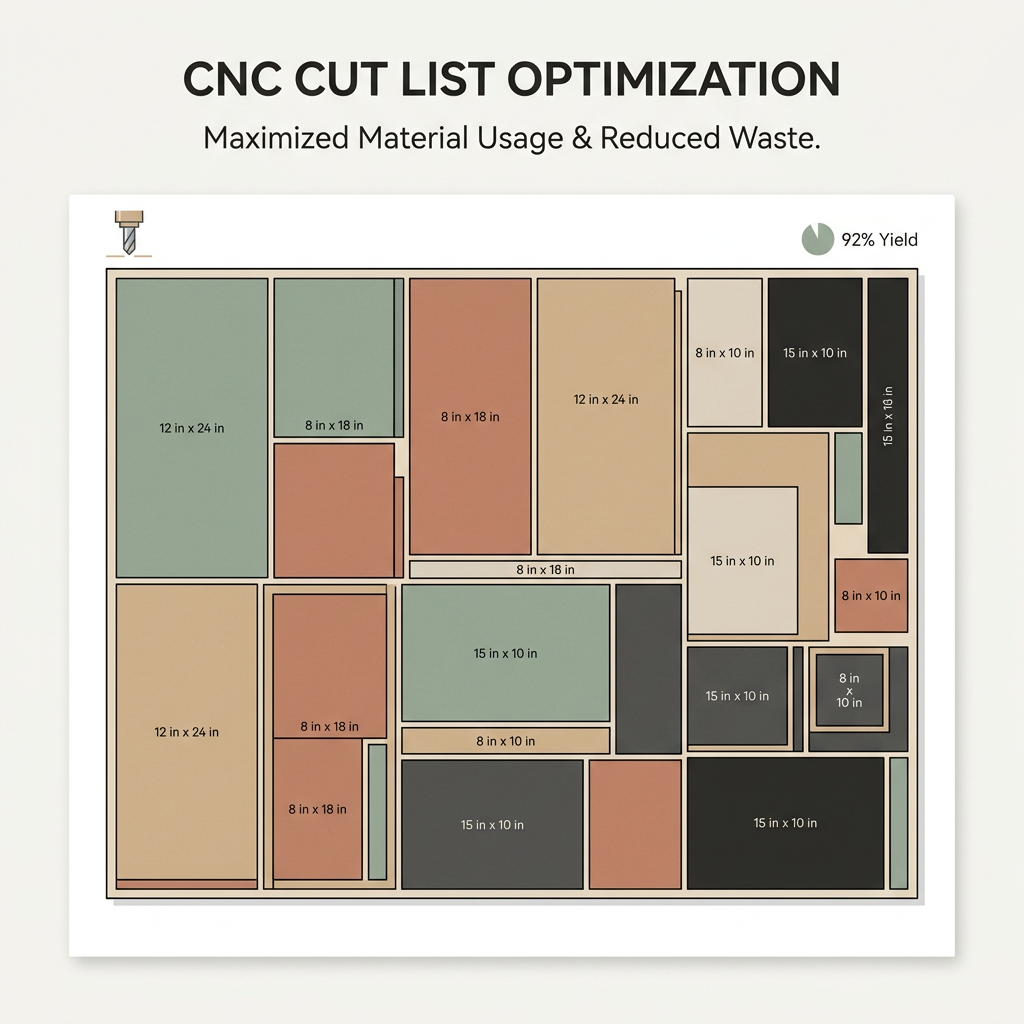
  • Optimized Cutting Layouts

    Our algorithm finds the best arrangement of parts on your stock sheets to minimize material waste and save you money.

  • Support for Boxes & Individual Parts

    Enter box dimensions or individual parts — the optimizer calculates all panels needed and nests them efficiently.

  • Edge Banding Integration

    Add edge banding requirements to your parts and get accurate costing included in the optimization results.

  • Visual Cut Plans

    See exactly how each sheet should be cut with clear visual diagrams you can print or share with your shop floor.

Cut List Optimizer dashboard showing parts nested on stock sheets with waste statisticsCNC cut optimization visual layout with color-coded parts

Everything in Cut Optimizer

A complete toolkit to plan, optimize, and execute your cutting projects with minimal waste

Smart Nesting Algorithm

Advanced algorithms arrange parts optimally on stock sheets, reducing scrap and maximizing yield from every board.

Box & Drawer Support

Enter box dimensions and the tool auto-generates all six panels with proper grain direction and sizing.

Custom Kerf & Grain Settings

Configure blade kerf width and grain direction requirements for precise, shop-ready cut plans.

Waste % Reporting

Instantly see total waste percentage, sheets used, and cost breakdowns for every optimization run.

Multi-Sheet Optimization

Optimize across multiple stock sheet sizes simultaneously to find the most cost-effective combination.

Save & Reuse Drafts

Save cut list drafts for recurring jobs. Load, tweak, and re-optimize in seconds — no re-entry needed.

INSTANT, ACCURATE ESTIMATING

Project Estimation Suite

  • Instant Price Estimates

    Generate accurate quotes in seconds based on your configured pricing rules, materials, and labor costs.

  • Multiple Build Types

    Support for kitchens, closets, vanities, and more — each with tailored question flows for precise quoting.

  • Sub-Client Management

    Create quotes for your own clients with custom operating costs and margin calculations built in.

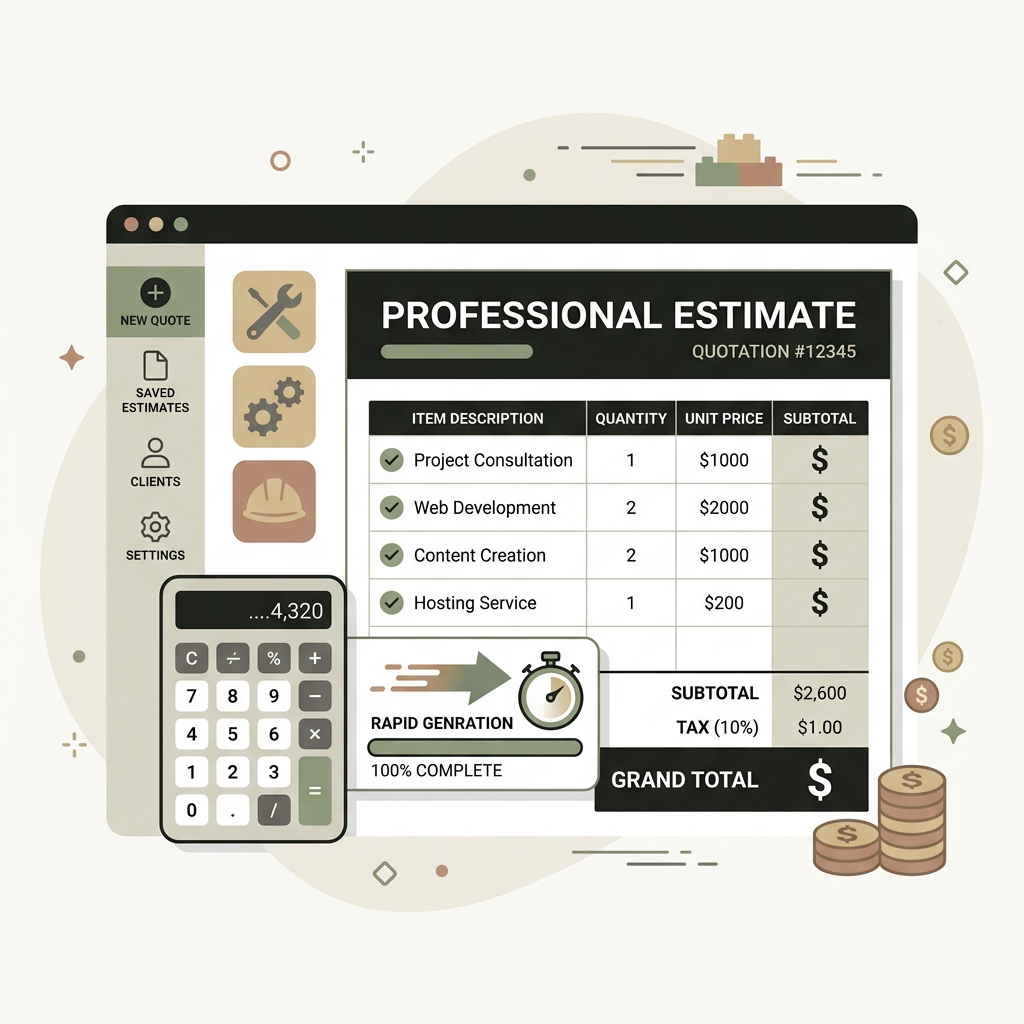
  • Professional Quote Output

    Generate clean, professional quotes you can share with your clients, complete with line-item breakdowns.

Project Estimation Suite with build type selection and live pricingProfessional quote output with line items and totals

Everything in Project Estimation Suite

Generate professional, accurate estimates in minutes — not hours

Rule-Based Pricing

Quotes pull from your admin-configured pricing rules — material costs, labor rates, and markups are always accurate.

Sub-Client Quoting

Create estimates for your own customers with custom operating costs and profit margins layered on top.

Dynamic Build Configurations

Admin-defined build types with custom question flows guide you through kitchens, closets, vanities, and more.

Margin Visibility

See your profit margin on every quote with built-in operating cost deductions and markup calculations.

Instant Turnaround

What used to take hours of manual estimating now takes under 5 minutes with guided question flows.

E-Transfer Payments

Clients see clear pricing and can pay via e-transfer — streamlining your entire quote-to-payment pipeline.

KEEP PROJECTS ON TRACK

Tasks & Scheduling

  • Kanban Board View

    Drag tasks across To Do, In Progress, and Done columns for a visual overview of all your project work.

  • Deadline & Priority Tracking

    Set due dates and priority levels on every task so nothing slips through the cracks.

  • Real-Time Status Updates

    Changes sync instantly — your team always sees the latest task status without refreshing.

  • List & Board Views

    Switch between a compact list view and a full Kanban board depending on how you like to work.

Task management board with organized project cardsProject scheduling and task tracking

Everything in Tasks & Scheduling

Stay organized, hit deadlines, and keep every project moving forward

Keep Projects On Track

Organize every task by project, deadline, and assignee to stay on time and on budget.

Board & List Views

Choose between a visual Kanban board or a streamlined list view — whatever fits your workflow.

Deadline Alerts

Overdue tasks are highlighted automatically so you can prioritize what matters most.

Priority Management

Tag tasks as Low, Medium, High, or Urgent to keep your team focused on what's critical.

One-Click Completion

Mark tasks done with a single click and watch your progress update in real time.

Project Visibility

See at a glance how many tasks are open, in progress, or completed across all your projects.

TRACK EMPLOYEE HOURS & JOB COSTS

Time Tracking

  • Clock In & Out from the Field

    Employees clock in/out with one tap. GPS location is automatically captured at each punch for job site verification.

  • Set Hourly Rates per Employee

    Configure Standard, Overtime, and Holiday rates for each employee. Costs are calculated automatically.

  • Review & Approve Timesheets

    Quickly review all pending time entries, approve or reject them, and see weekly cost summaries at a glance.

  • Manual Time Entries

    Forgot to clock in? No problem. Manually add time entries on behalf of any employee with full rate support.

Employee time tracking with clock in and outTimesheet management and approval

Everything in Time Tracking

Simple for your field crew. Easy for your office team to review and approve.

GPS Job Location Stamps

Every clock-in and clock-out captures the GPS coordinates so you know exactly where your crew is working.

Automatic Cost Calculation

Hours × rate = total cost, calculated automatically. See labor costs per entry, per week, and per employee.

Employee Rate Management

Set Standard, Overtime, and Holiday hourly rates for each employee — different rates for different work types.

Real-Time Time Clock

See who's currently clocked in with a live elapsed timer. Switch between tasks throughout the day.

One-Click Approval

Review all pending time entries and approve or reject them instantly. No more spreadsheet headaches.

Weekly Cost Summaries

Get a quick overview of total hours and labor costs for the current week across all employees.

FREQUENTLY ASKED QUESTIONS

CAD Software & PRO Tools FAQ

Everything you need to know about our software suite, pricing, and subscription management.

Ready to Get Started?

Join hundreds of CNC professionals who save time and money with our CAD Software & PRO Tools every day.